As a restaurateur or part of an FNB team, your food and menu are a big distinguishing factor from other brands. Whether you specialize in fish tacos, farm-to-table brunch, or single-origin lattes, the menu serves as both a strategic facet and a piece of your business’s heart. The goal of a menu at the highest level is to answer a very important question for potential customers: what am I going to eat? Or better yet, what CAN I eat?
Menus provide transparency on cuisine, course offerings, specials, pricing, and more. They ease anxieties around allergies, dietary restrictions, and decision fatigue. The Food and Drug Administration also has some labeling regulations your menu may need to provide, like calories or allergens.
When working on a website build or rebuild for your FNB business, it is easy to understand that having a menu on the website is an industry standard at this point. Think of a common user journey for someone who is picking between your restaurant and your competitor’s.
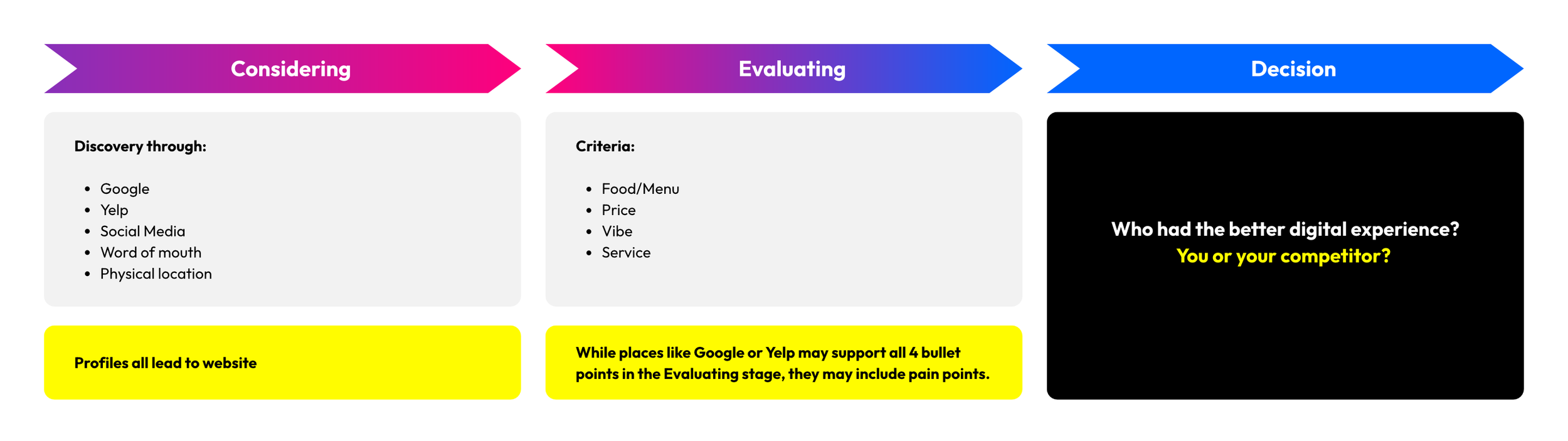
The consumer decision journey usually starts with awareness and discovery. Possible ways your potential customer is going to discover your business can include Google, Yelp, social media, word of mouth, or your physical location. All online discovery methods include visible and prominent links to your website.
At the same time, they might be evaluating your competitors. Once they have discovered you (and your competitors) exist, they evaluate based on whatever criteria is important to them. This typically includes things like the menu and food type/quality, the price range, atmosphere, and overall experience.
While places like Google, Yelp, or social media may support decision-making on all criteria, there may be pain points during the process. For example, Yelp makes you log in to an account before viewing any photos, with the photo gallery typically being where pictures of the menu are posted. Social media may be curated and not reflect the realities of a potential experience. A thoughtful and tasteful website, however, would serve as the ultimate beacon for quelling any concerns. By the time the consumer has reached the decision stage, it comes down to whoever provided the better experience or left them with a better “feeling”. By having a well-designed website that supports a positive experience in viewing the menu, you can start a customer’s experience with you on a good note before they even set foot in your store.
As web designers, we are here to evaluate the different ways you can add your menu to your website. We evaluated 4 different solutions based on ease of use, customizability, and overall end experience.
Competitive Matrix
| Solution | Ease of Use | Customizability | User Experience |
|---|---|---|---|
| #2 | #1 | #4 | |
| Third Party Embed | #1 | #3 | #3 |
| Squarespace Menu Block | #3 | #2 | #2 |
| Custom Code | #4 | #1 | #1 |
4 Menu Display Options
PDF of menu
A PDF of a menu ranked high in ease of use and customizability. Since it relies on static graphics, it is easy to apply the brand and create an appealing design. It lives as it’s own document, so it is easily downloadable and printable. The same design used for your restaurant’s physical menus can be used as your website PDF menu. Finally, it is inexpensive to create. There are a plethora of free Canva templates that can make the design process as plug-and-play as possible.
However, we ranked PDFs last in terms of user experience. You can’t directly put a PDF onto your website, so it must live as an embed or a button. Embeds may yield negative experiences depending on embed types. Buttons create one more action for the user to take before they can complete the action they want. Additionally, a PDF menu needs to be manually updated anytime the menu changes. This can be difficult to scale for restaurants that have seasonal offerings or feature many different menus. Depending on the design, the PDF may also encounter some accessibility issues and load slowly if not compressed.
These minute details are where working with an expert can yield optimal results if a PDF is the path your business wants to take.
Third Party Embeds
A third party embed, like Toast or TripleSeat, may provide convenience for the FNB team. We ranked them #1 for Ease of Use! These menus typically sync with your POS (or may even be your POS or online ordering hub). Instead of needing to update items, pricings, and availabilities in two different places, you can update them in one place. Changes sync across. This can save valuable time for team members and keep things up to date. No more running into “But I saw this was available on the website” comments.
With most embeds, there is the possibility of a negative web experience. Depending on how much information is in the embed and the platform’s original script size, it may take some time to load. The loading time is also dependent on the user's devices and internet connection. Sometimes, they may have browsers that block all third-party embeds. Embed platforms can also restrict branding options. They may provide a small set of web-safe font options or basic colors, but full customizability may not be an option or may be behind a paywall.
Squarespace Menu Block
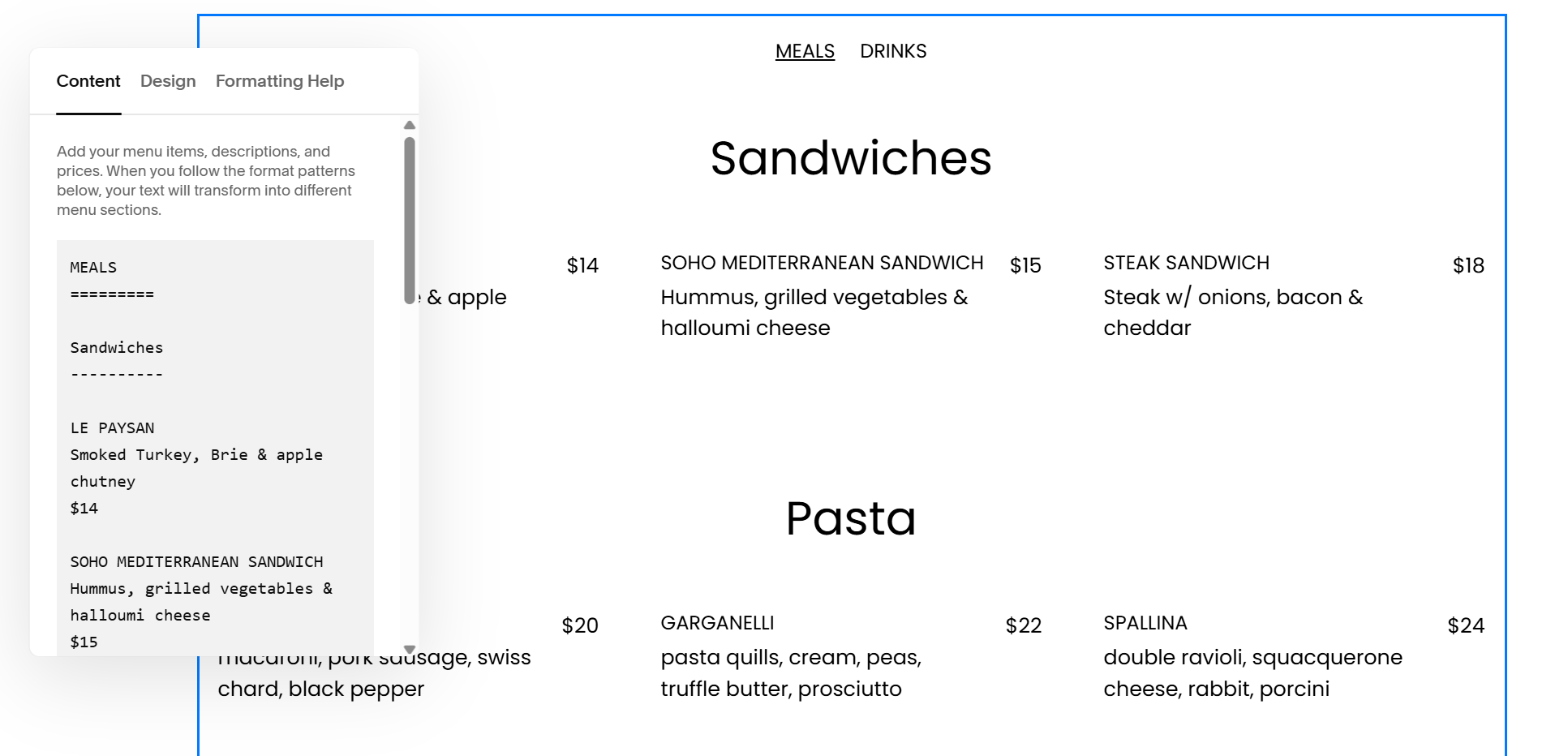
If your FNB website is in Squarespace, you might be familiar with some of the native features and content blocks Squarespace offers. One of these blocks is a Menu block. This is convenient since it is already in the backend of the website, so you don’t need to go anywhere else to create or make edits to the menu. This block can support multiple menus, so you can easily add seasonal or special menus. Since the block displays text directly onto your website, it enhances SEO.
The biggest con of the Squarespace native menu block is that creating and editing menus is not user-friendly. It uses plain text and is confined to a small pop-up window. This can result in a time-consuming task to create the initial menu for the website and may lead to frustration when big edits are needed. Squarespace is always improving blocks and features, so it may be that they come out with an improved way to create menus using the menu block.
Custom Code
Custom code menus ranked #1 in both customizability and experience. When it comes to using third-party platforms, sometimes you are able to customize the visual aspects of the menu embed. For example, we did this for our clients, Garibaldi/Vistal. Using custom CSS to override the default styles set on their OpenTable menu, we created branded menus that preserved functionality and brand aesthetics.
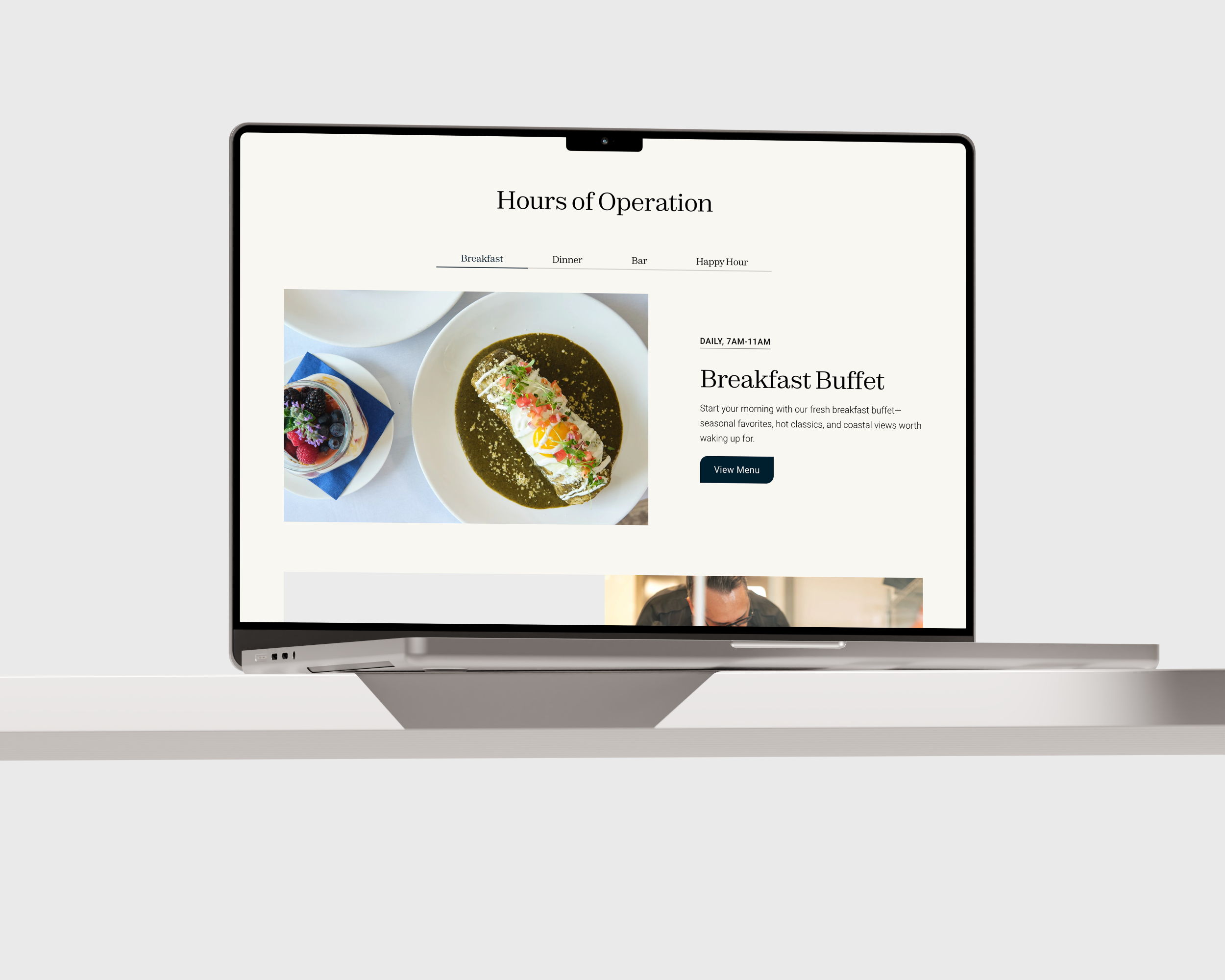
Within OpenTable, there are some set customization options, like a handful of colors and singular font choices for both headings and body paragraphs (limited to Google fonts). Although it gave us something to work with, it was still pretty limiting for making it feel cohesive with the brand. After some testing on GitHub, where the .css file was hosted, with style overrides like custom fonts and colors, we were able to input our own styles. It was clear that it worked and we were able to successfully integrate the branded solution. Not all styles can be overridden, but if you can get 85% of the way there, it still creates a seamless blend.
To utilize a custom code menu, you do need someone to help you code it. Updates also require at least a basic understanding of coding, which may not be accessible for all FNB team members. Working with a team like Hueman Studio allows for us to help you preserve the management of the menu on your end while the front-facing brand is preserved.
In Conclusion
Overall, your FNB business’s website should have a menu readily available and prominent for potential customers to access. Aside from FDA compliance, there are many other benefits of having a menu easily accessible on your website. One big benefit is SEO, or search engine optimization. From our FNB web clients, website pages that include the menu perform almost similarly (in terms of web traffic) to the homepage, which is usually the highest traffic page. Compared to the homepage, they also have a lower bounce/exit rate and a higher time on page rate. These positive results showcase the long-term benefits having a menu page can have. By increasing positive and organic website traffic, this can result in higher domain ranking and overall web performance.
There are different trade-offs when it comes to choosing how exactly you will display your menu on your website. If you prioritize brand aesthetics and simplicity in management, PDFs are the way to go. If you want seamless scalability and don’t mind a little complexity, third-party embeds and custom code will give you just that. If you want to manage everything under one roof (aka your Squarespace website), the menu content block exists to support you with that. By understanding the importance of a menu and that digital experiences translate to physical feelings, FNB businesses and restaurants can lead with their best foot forward.